¶ Customer Web Store Access
To make the order process easier for your customers and save yourself a lot of time, make use of the LodDepot's web store feature.
¶ How can the customer access their web store?
- Navigate to the Customers page and select a customer
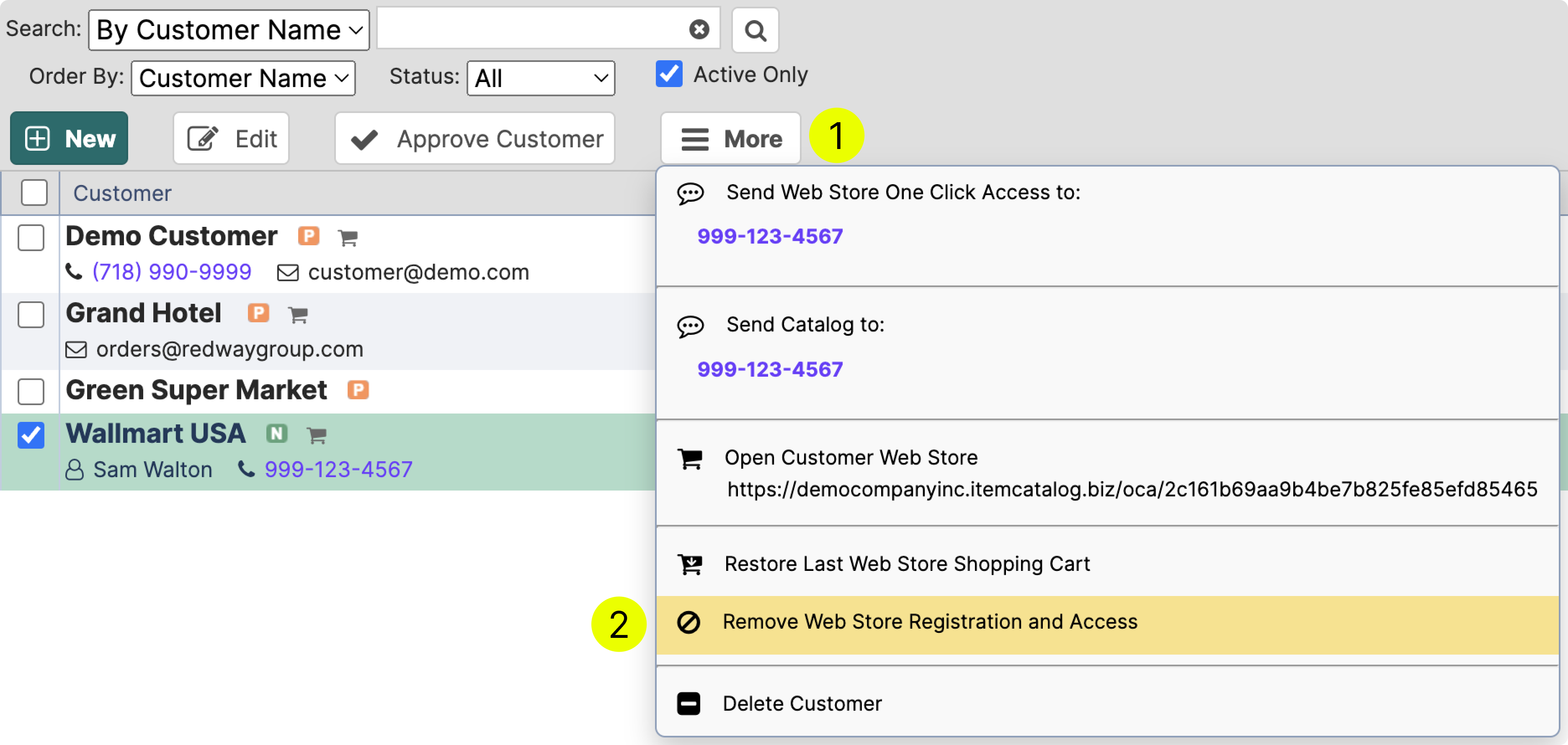
- Click More (1) to reveal the menu.
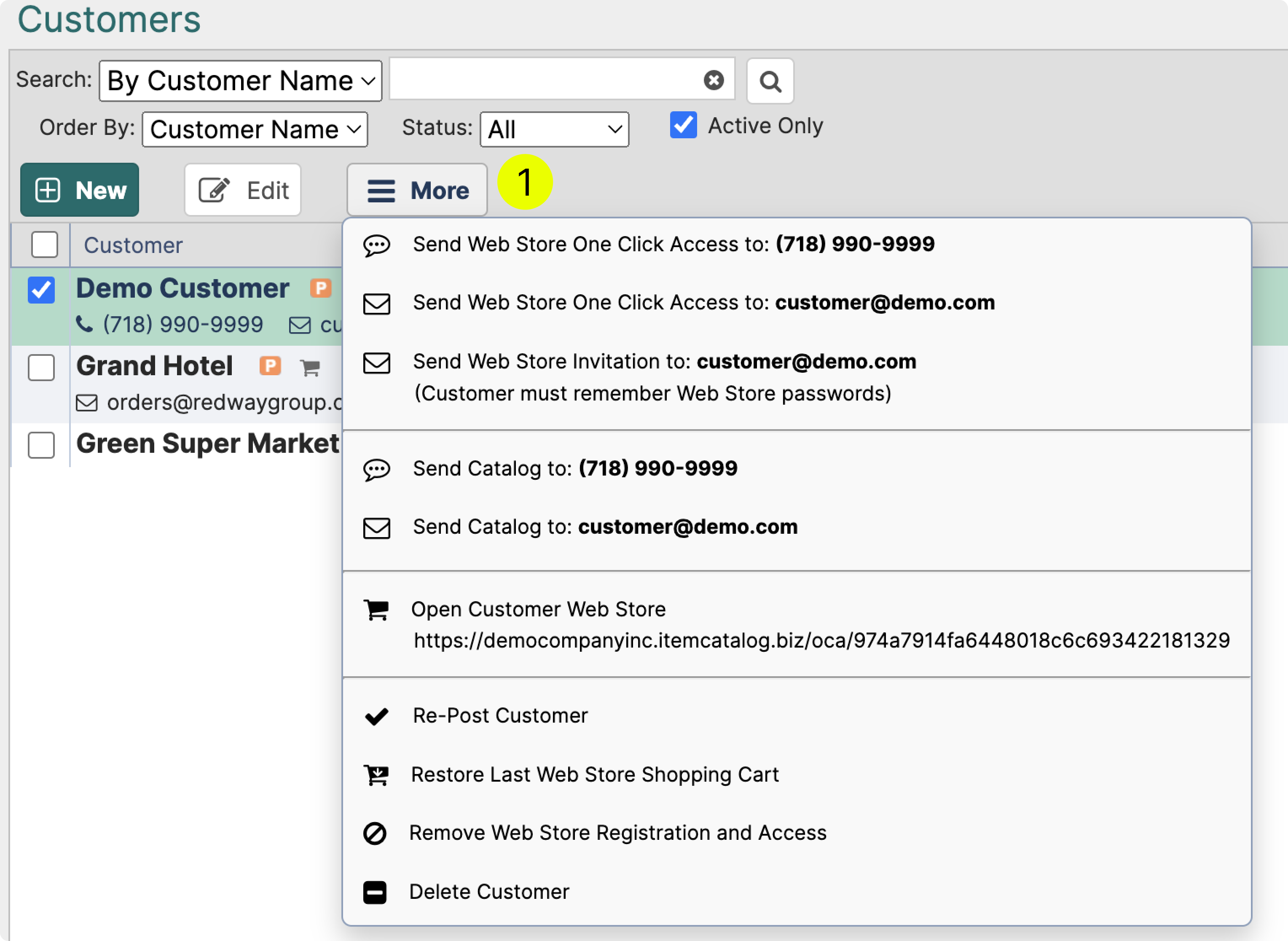
You have three different options to notify the customer
- SMS (6¢/sms) - one click access
- Email - one click access
- Email - Invitation to create an account
¶ One Click Access
Preferred way to provide access to the web store.
- No need to remember passwords and logins
- Easy to share access: just copy paste the link
- Link can be resent to the customer any time

¶ Invitation Email
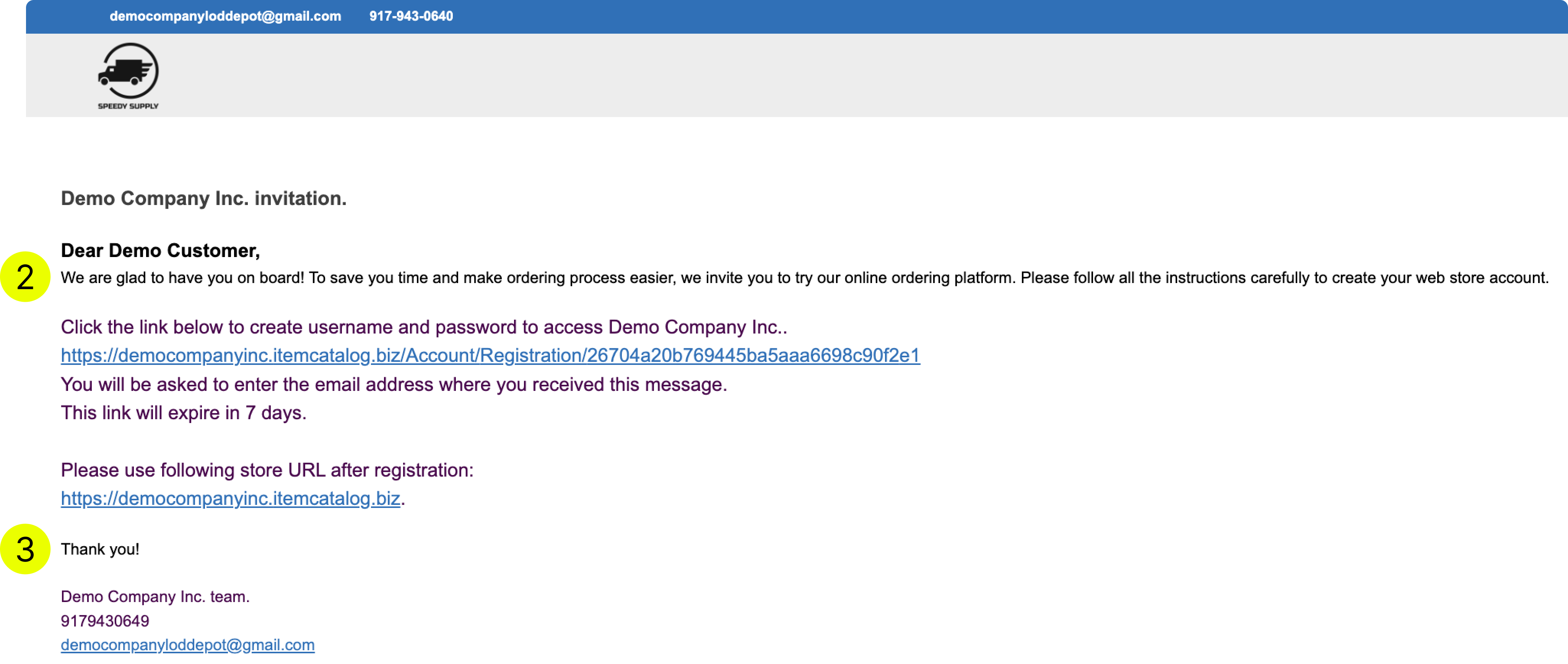
A traditional access method. Once you send the invitation email, customer has 7 days to follow the link and complete the registration.
- Customer must remember the password. Otherwise a reset will be required.
- Customer must use the same email to register as where they received an invitation.
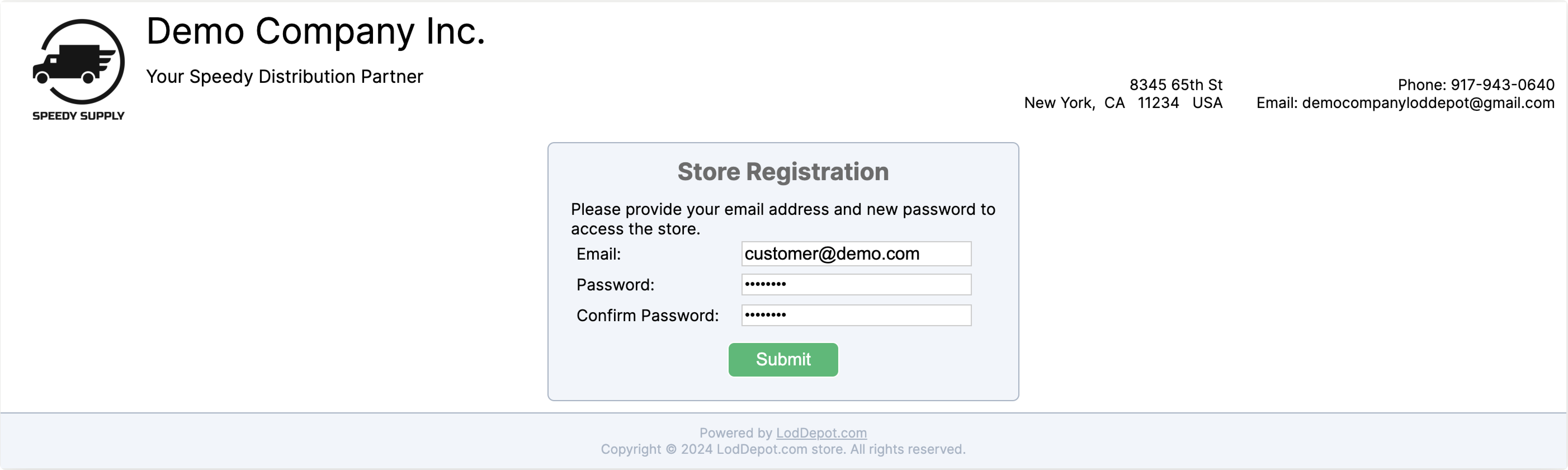
- The customer MUST enter the same email where the invitation was sent
¶ Customize the text
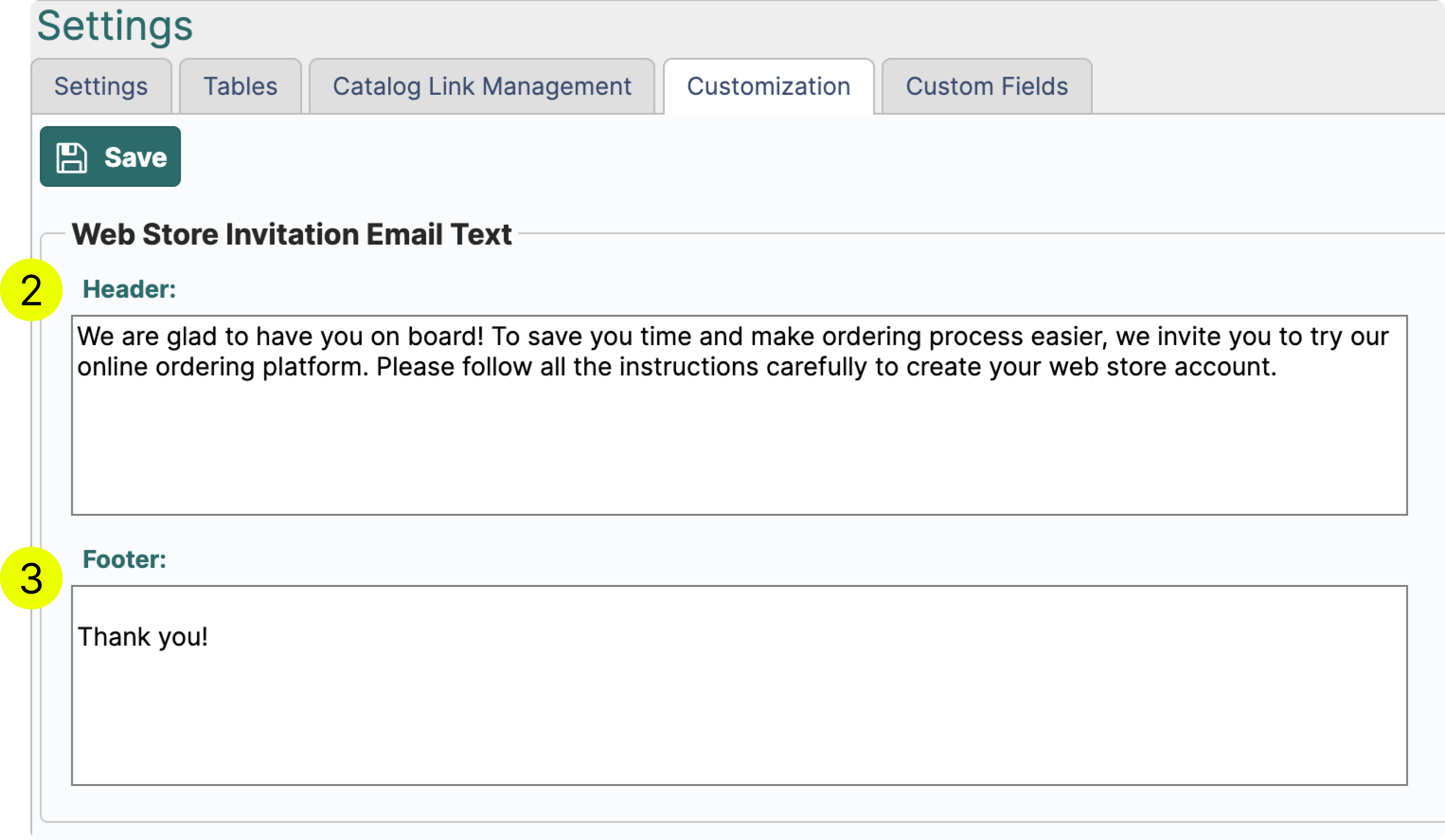
You can customize the header (2) and the footer (3) by going to your settings
Settings→Customization→Web Store Invitation Email Text
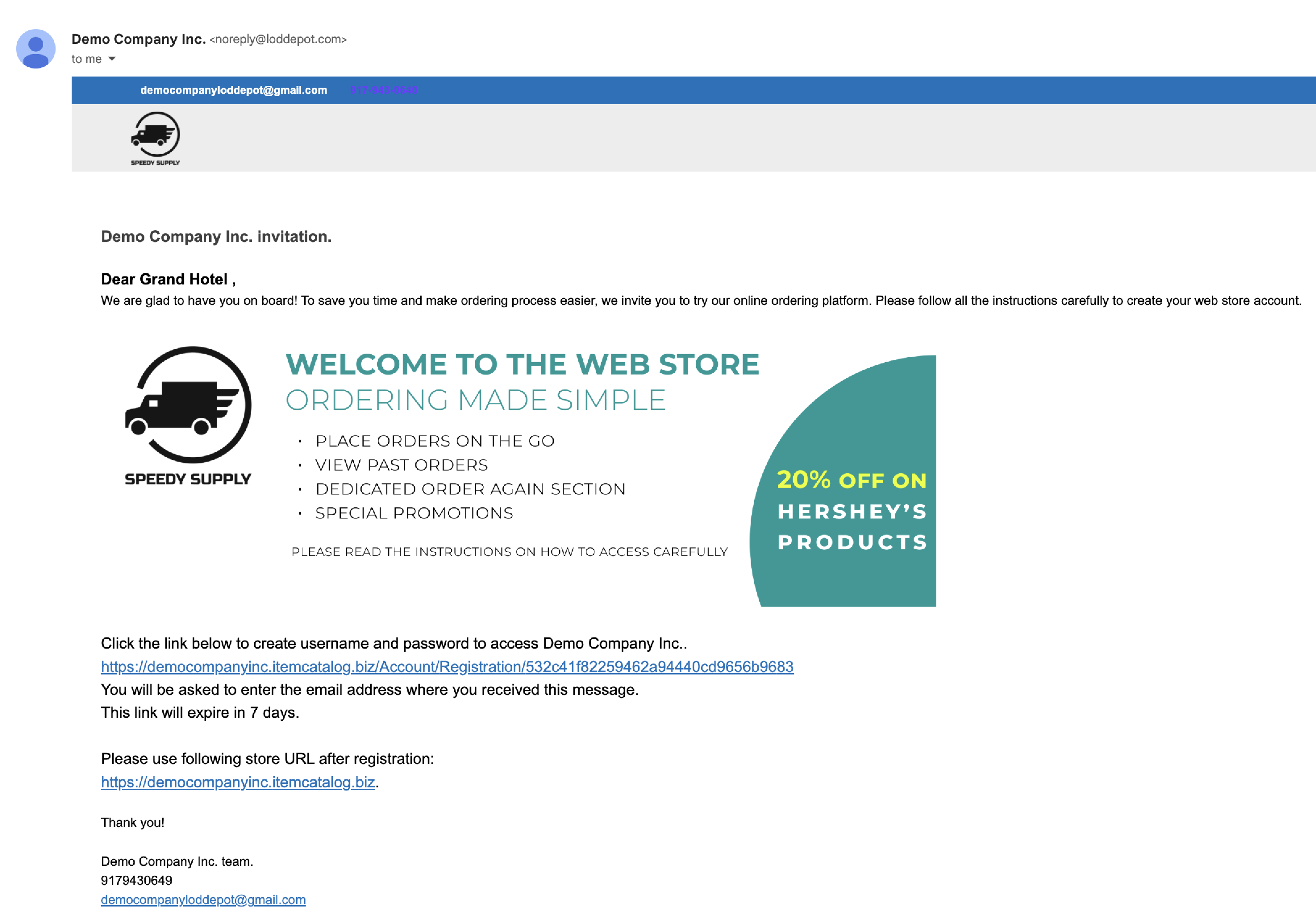
¶ Add banner to the invitation email
Wether you want to add a visual aspect to the email or insert a link to a promotion, both can be achieved by using an ad banner. You can learn more about the use of ad banner manager on it's dedicated page.
¶ How to add a banner to the invitation email?
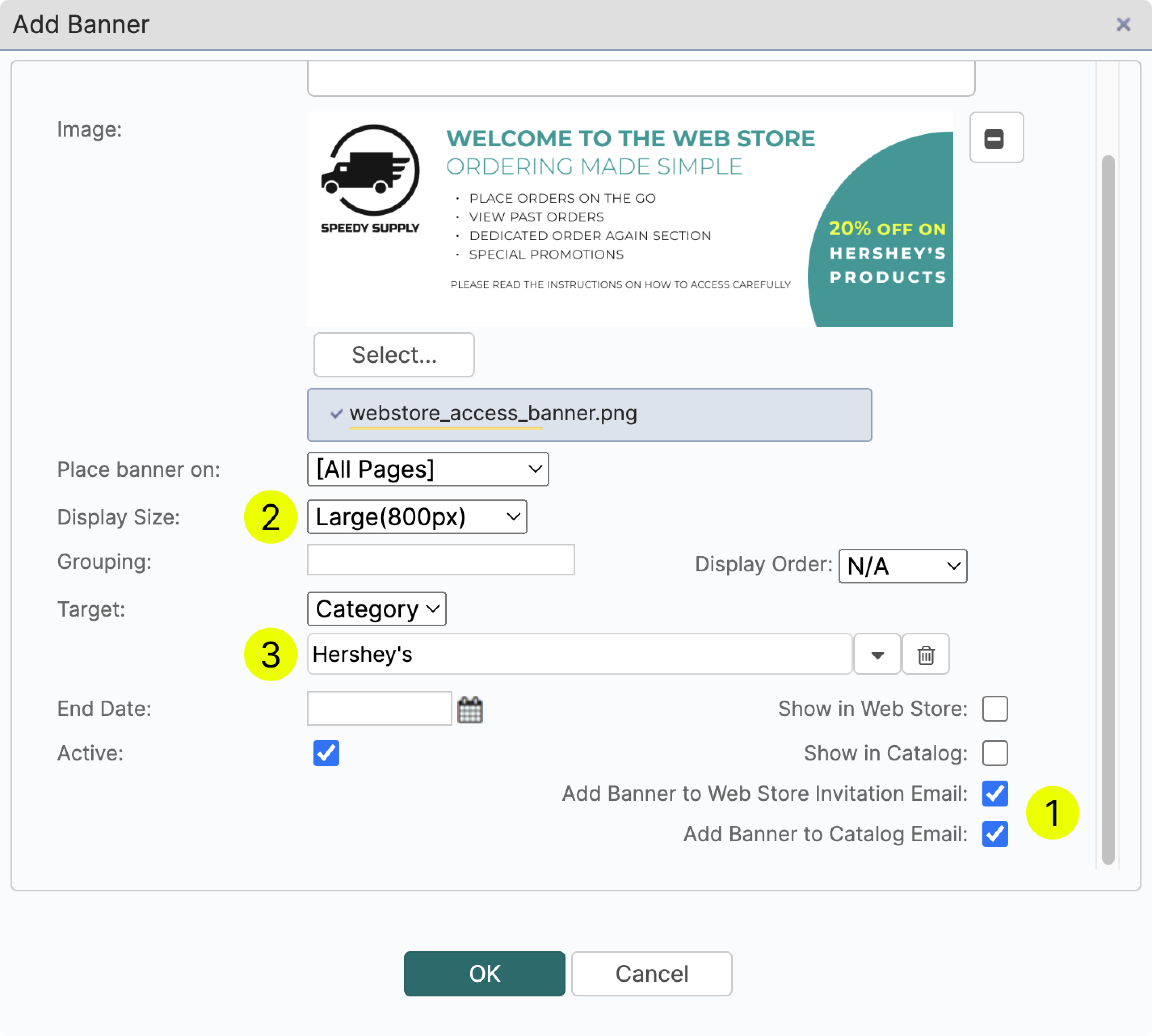
- Create a banner and save it in .jpeg or .png format
- Navigate to Ad Banner Manager and click Add
Tools → Ad Banner Manager → Add - Name your banner (visible by you only)
- Select where you want to place the banner. In this case we are adding a banner to the invitation email to catalog and to web store. (1)
For other applications please visit Ad Banner Manager page - Select the display size (2)
- If you want your banner to function as a link to a category, please select the target category. (3) Alternatively, you can have the banner lead to an external URL. In this case change the Target from Category → URL.
¶ Self Registration
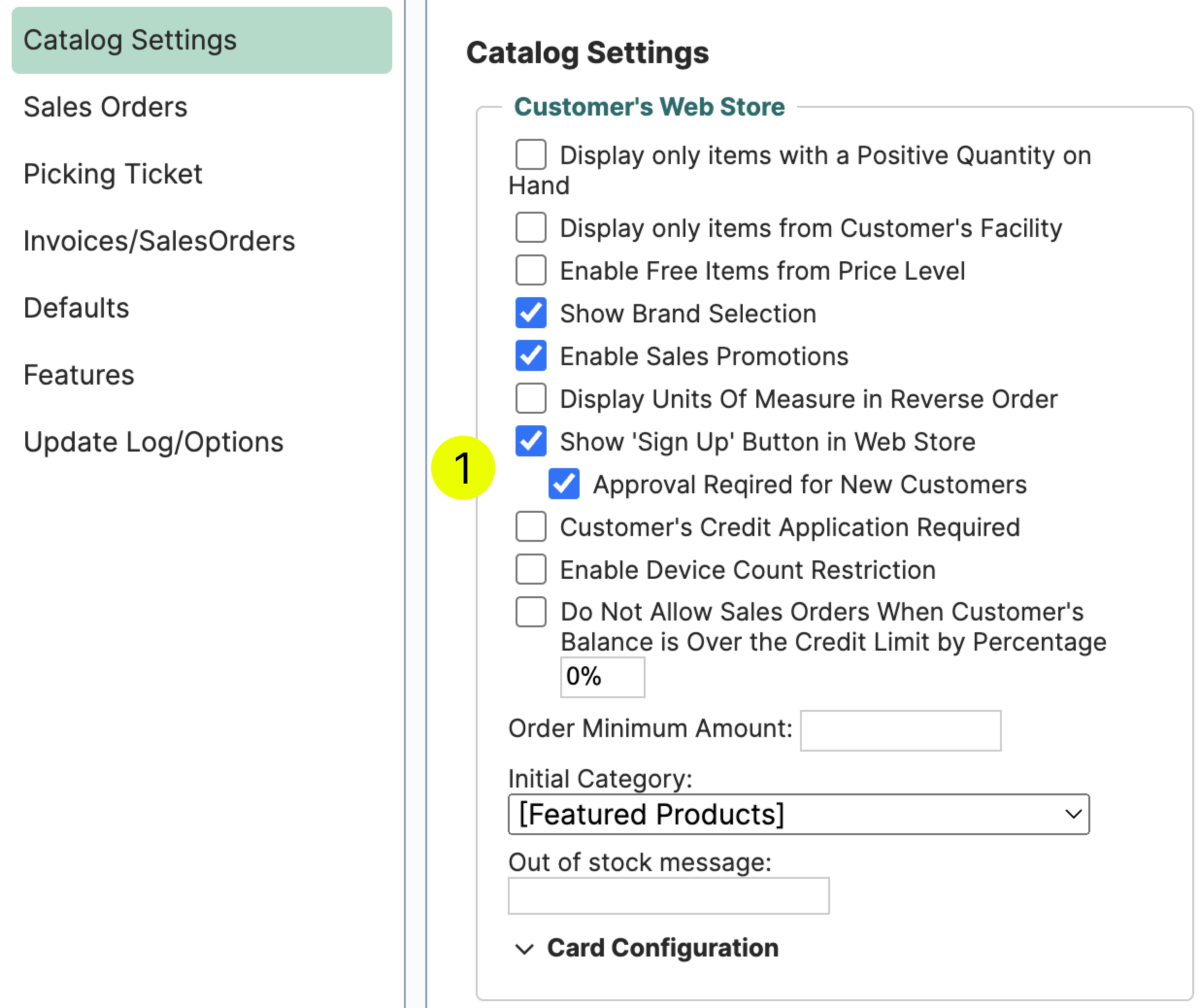
LodDepot allows customers to self-register on your web store. You can trigger this feature on or off by going into the settings (1). You can also require approval after a customer completes the registration.
If you have opted to require approval for new customers, after a customer fills out all the necessary fields they will get the following message.
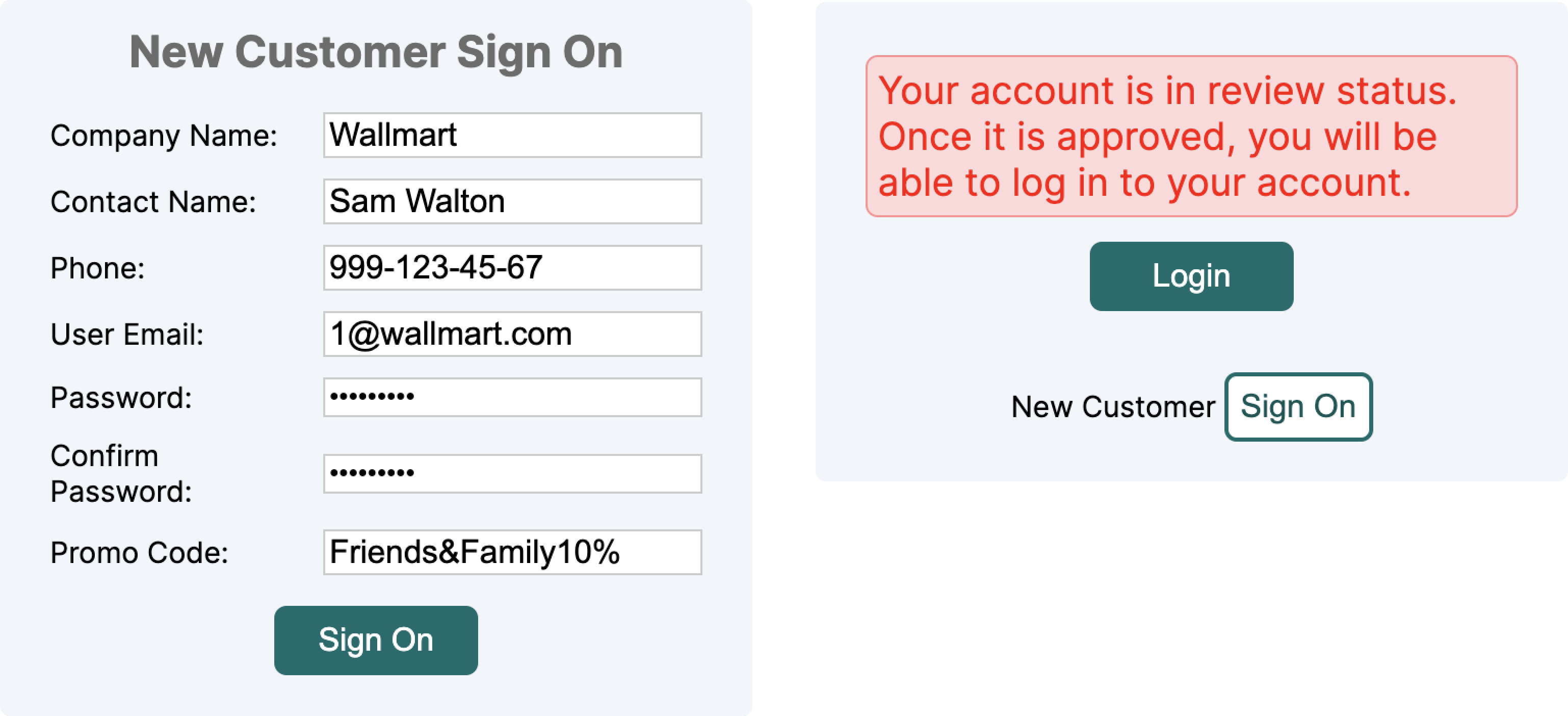
If you don't require approval for new customers, after a successful registration, the customer will be able to access the web store and submit orders.
¶ How to Approve a New Customer?
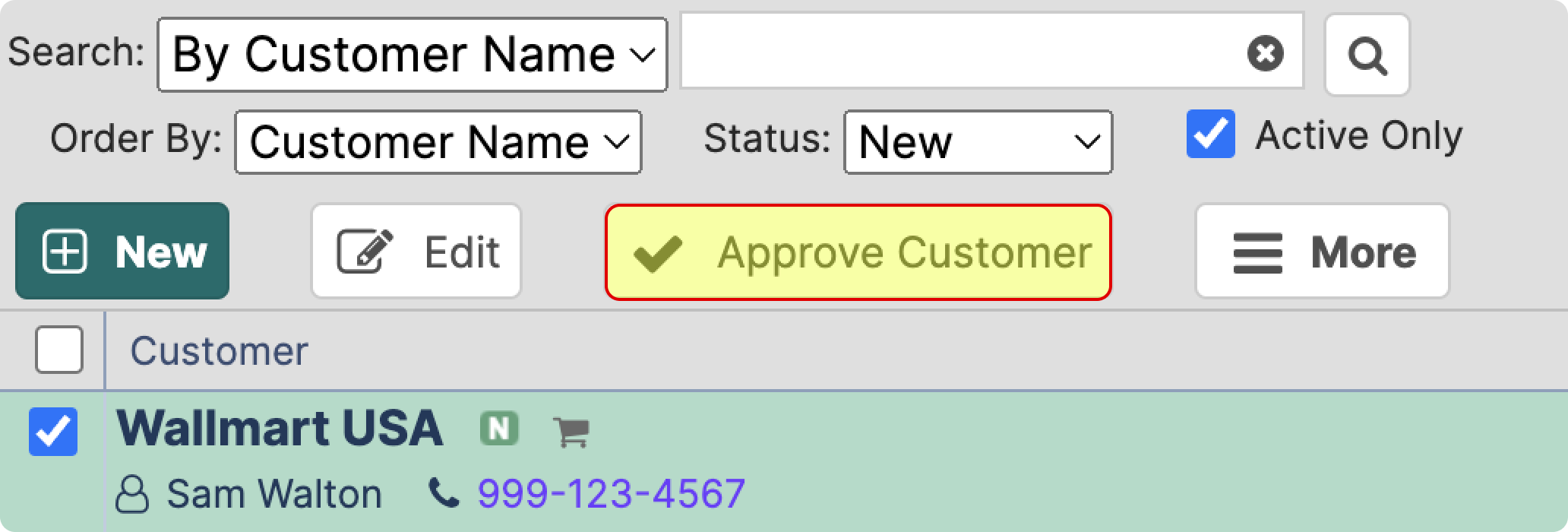
To approve a new customer navigate to Customers/Vendors → Customers → Status “New”
- Select a customer you want to approve and click the button “Approve Customer”
¶ Web Store Link
To find your web store link, navigate to Tools → Company Profile → Links Section
¶ Remove Web Store Registration & Access
If you want to remove customer's registration and access to the web store:
- Navigate to Customers/Vendors → Customers
- Select the customer → Click More (1)
- Click Remove Web Store Registration and Access (2)
¶ Web Store Activity
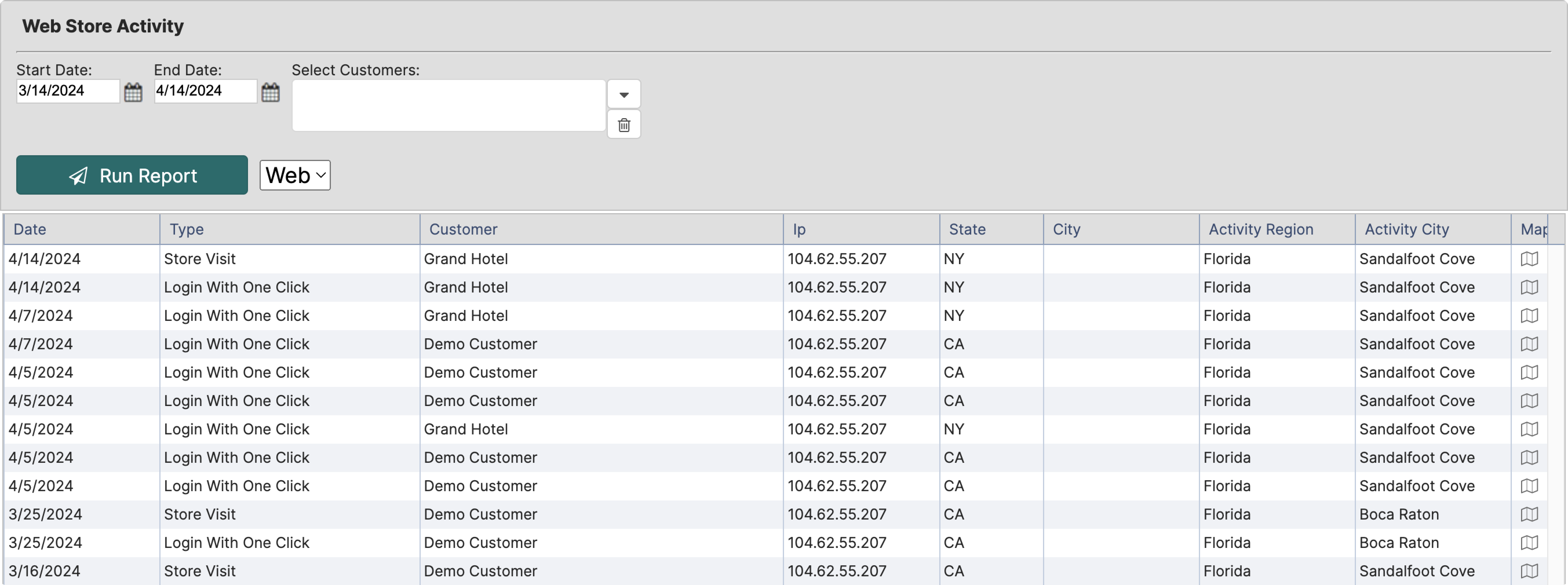
You can also monitor all the activity on the web store. You can do so by navigating to Reports → Web Store Activity
¶ Keep the Web Catalog out of Search Engines
If you do not want your Web Catalog and Price Catalog to appear in Google or other search engines, open Settings → Web Catalog/Price Catalog and check Disable Search Engine Indexing, then save.
From the next visit every catalog page tells search engines not to index it and not to follow its links, both in the page and in the server response. A robots.txt is served for your catalog address and your company is left off the public LodDepot sites page. Your customers are not affected: the catalog opens as before for anyone with the link. The customer web store, where customers sign in to place orders, is always kept out of search engines, with or without this setting.
Pages that are already indexed are removed when the search engine visits them again and sees the new instruction, which usually takes a few days to a few weeks. Crawling stays allowed on purpose, because a search engine has to open a page to see that it must not be indexed. To speed this up, request a recrawl or removal of the pages in Google Search Console. Uncheck the setting to allow indexing again.